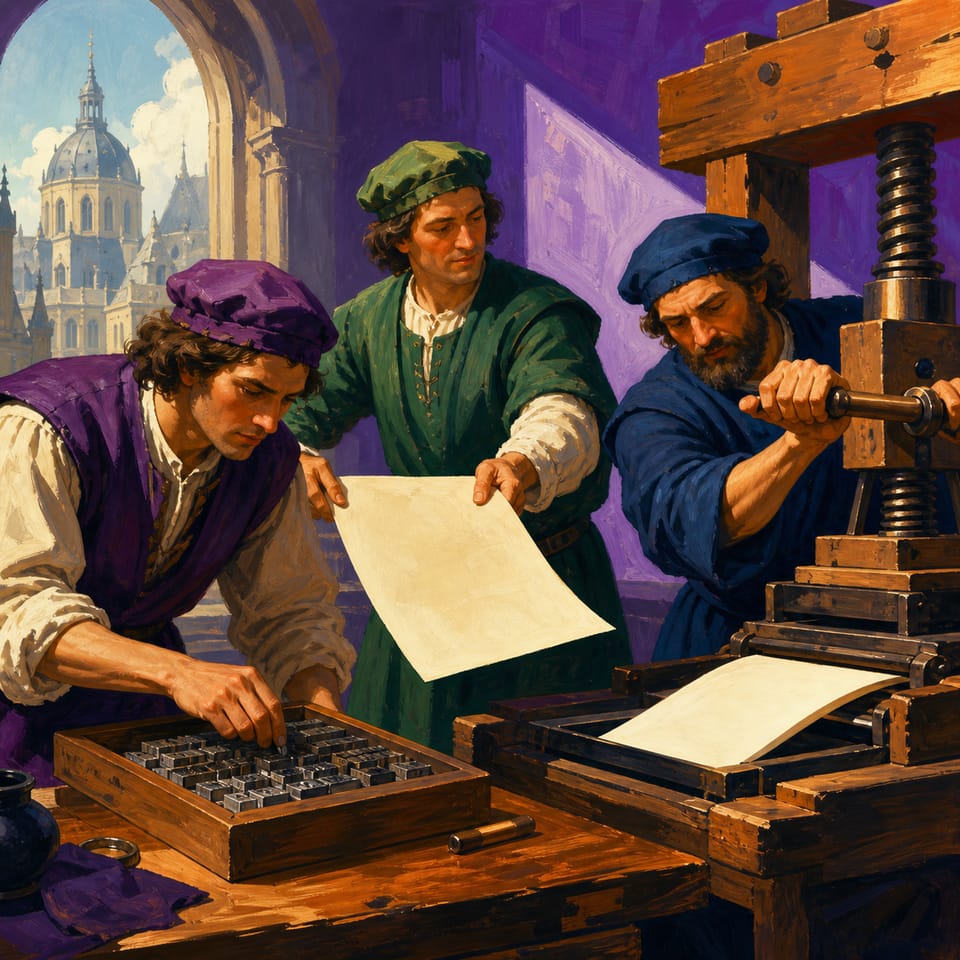
Les élèves racontent en français comment Heynlin installe une presse à la Sorbonne et obtient la première feuille imprimée. Ils pratiquent le passé composé.
Pacing
1 week · 5 × 45 min
Grade
Grade 8
Coding
Beginner
Students codePlayer ActionsDragOn Page StartMove
Opens a private practice project in the Studio — no account needed.
Comment montrer qu'une action s'est terminée dans le passé ?
Students will be able to
Écrire de courtes phrases au passé composé
Expliquer comment les actions passées changent les événements du récit
Programmer un clic qui anime et un glissement qui fait avancer la page
Créer une couverture avec de la musique et du texte animé
Key vocabulary
pressecaractèresencrevis (de la presse)papier
Assessment
Formative
Brouillons de l'organisateur, billets de sortie et vérifications entre pairs.
Summative
Un récit interactif publié et jouable.
The student journey
This is a build — not a worksheet packet
Every lesson runs like the story students are about to make: read it, write it, build it, polish it, publish it. The printables scaffold each stage — the published Elementari project is the destination.
1
📖
Read
Students read a short, high-interest passage — a real-world hook, not a dry textbook definition — to spark ideas for what they'll make.
📖La machine secrète de la Sorbonne
Les faits historiques de ce passage sont fondés sur des sources de la Bibliothèque nationale de France. Les dialogues, le manque de papier et les actions précises dans l’atelier du projet sont des éléments de fiction historique. En 1470, à …
On a scaffold built for the lesson, students plan their writing with sentence frames, a word bank, and a glossary — never a blank page.
2Student Kit · sneak peek
À la Sorbonne, Johannes Heynlin a installé un atelier avec des caractères en métal et des outils, et l'on voyait surtout [un objet qui montre le travail].
Key Words from the Passagepressecaractèresencrevis (de la presse)
Glossary a kid-friendly definition for every key term
In the studio, students bring the project to life — adding art and following the exact writing and coding steps shown below. The Studio Compass walks them through it, one step at a time.
🧭Studio CompassStep 1 / 8
Page de couverture
Choisis un arrière‑plan d'atelier, écris titre et sous‑titre, et code la musique qui joue au démarrage et anime le texte.
Key words — tap to learnOn Click
Each step checks off & advances on its own
All 8 studio steps · dynamic to the project
1Page de couverture
2Page d'ouverture - atelier
3Réplique et portraits
4Annonce imaginée de Heynlin
5Retour avec le papier
6Interaction : glisser pour livrer
7Interaction : préparer la presse
8Image finale et phrase
4
🔁
Polish
ongoing
Teacher and peer feedback pin right onto the project — students revise until it's ready to share.
Feedback on the project2 pins
🍎
Add one more sentence here so readers get the full picture.
👍 2Teacher
A
The interaction is clear — it helps the reader follow the project!
A couple of things to gather, a few quick steps to prep — then you're ready to hand it to students.
What you need
A device per student or pair
Internet connection
Prep · about 10 min
1Print the student kits
2Assign this lesson to your students
3Skim the build steps
Teacher background
What you need to know
On montre des événements finis avec le passé composé ; le choix du verbe (aller, faire, être) précise le mouvement, l'action accomplie et l'état atteint.
Key terms
presse
Une grande machine en bois qui sert à presser le papier contre des lettres en métal pour imprimer du texte.
caractères
De petites pièces de métal, chacune formée comme une lettre, que l'on assemble pour composer une page.
encre
Le liquide noir que l'on met sur les caractères pour que le texte se transfère sur le papier.
vis (de la presse)
La grande tige qui tourne et descend pour presser la presse sur le papier et les caractères.
papier
La feuille blanche que l'on pose sur les caractères pour recevoir l'encre et le texte imprimé.
Watch for these misconceptions
✕
absence de crédits →Demandez où l'élève a pris chaque image; cherchez la ligne d'attribution.
✕
preuve non expliquée →Demandez: «Quelle partie du texte soutient ta phrase? Explique le lien.»
✕
planning superficiel →Demandez: «Pourquoi ce genre convient-il à ton public?» pour justifier le choix.
Standards alignment
Aligned to the standards you teach
Every task maps to a specific standard, so planning and reporting are covered.
Tracking 7 frameworks: Common Core ELA, Common Core Math, NGSS +4
Students create original works or responsibly repurpose or remix digital resources into new creations.
Full task-by-task mapping — including Depth of Knowledge — is in the answer key.
Differentiation & accessibility
Built to reach every learner
One lesson, three built-in paths — with accessibility baked into the materials, not bolted on afterward.
Extra support
Emerging readers & writers
Read-aloud and multilingual support in the Elementari build
Studio Compass highlights one task at a time — including the coding
Sentence frames and a word bank so it is never a blank page
On grade
The core lesson
The passage and storyboard exactly as written
Model answers and “look-fors” in the answer key
Self-check chips at every milestone
Ready for more
Extension & challenge
Challenge vocabulary and a real-world extension question
Deepen one existing page or interaction — without changing the required mechanics
A longer, evidence-based reflection prompt
Accessibility, built inPredictable step-by-step structureOne task at a time · Studio CompassHighlighted response areasLow-stimulation printMovement-friendly pacingDesigned so every student can design, write, and code — with ADHD, autism, and dyslexia in mind.
Questions
Teacher FAQ
Do I — or my students — need to know how to code?
No. Coding concepts are introduced in plain language exactly when students need them, and Studio Compass confirms each milestone so students keep moving without you troubleshooting. The teacher guide walks you through the whole build, answers included.
How long does this lesson take?
About 1 week, paced into 45-minute class periods. You can spread it out or compress it — students pick up where they left off, so it doesn't have to finish in one sitting.
What devices does this lesson work on?
Students can read, write, code, and publish on Chromebooks, iPads, tablets, laptops, or desktops. All they need is a modern browser — nothing to download or install.
What is Studio Compass?
Studio Compass is the step-by-step guide inside the Studio. It shows students what to do next, identifies the exact coding blocks they need, and confirms completed milestones so they can keep moving independently.
How does this lesson support different learners?
This lesson includes read-to-me with synchronized highlighting, a built-in glossary, and picture-based storyboarding, with writing and coding scaffolds you can dial up or down. Students can work with guided support or more independently — and still finish the same project.
Ready when you are
Bring this lesson to your class
Import your class, assign in one click, and watch them build — the whole kit comes with it.