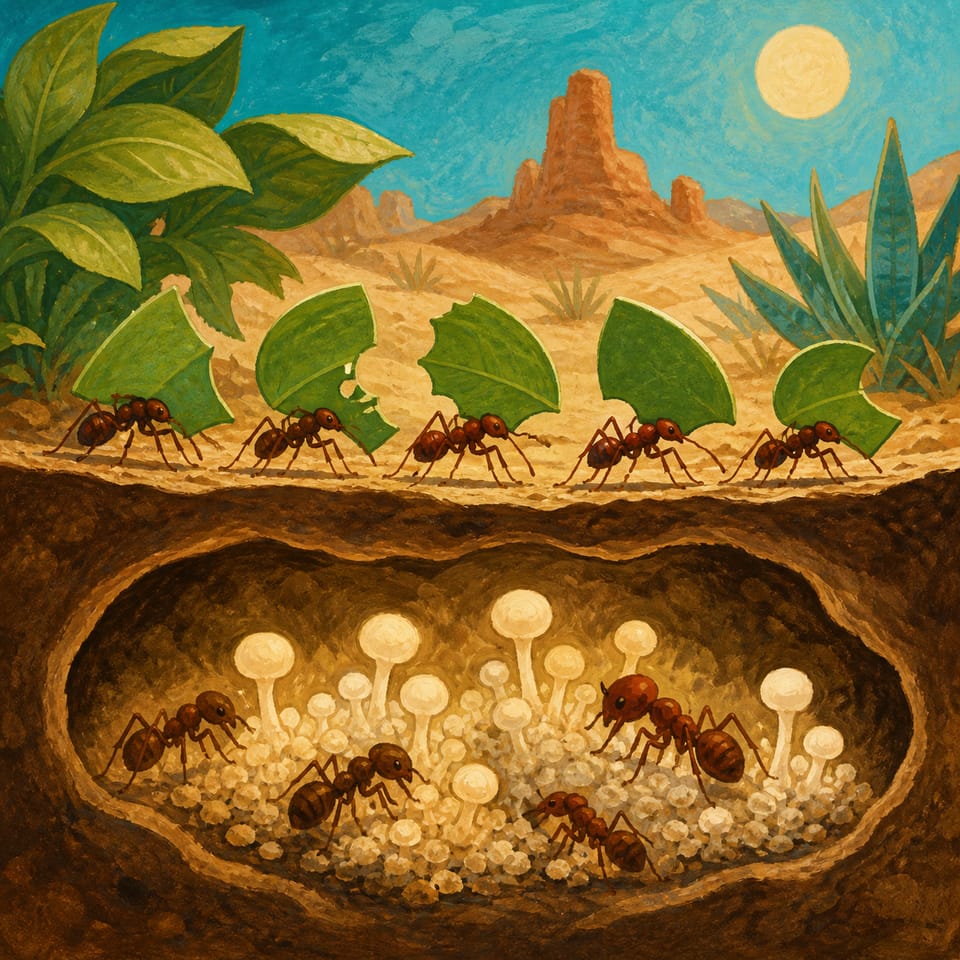
Students listen to a teacher read-aloud about leafcutter ants. They make a cover and a short profile introducing Ati by name and describing one colony job from the reading. The scene already identifies Ati as a leafcutter ant; repeating the species in the speech is optional. Students share their finished profiles in a class gallery walk.
Pacing
1 week · 5 × 45 min
Grade
K
Coding
Beginner
Students codeDragOn Page StartMoveVoice RecordingNavigation
Opens a private practice project in the Studio — no account needed.
Use the worksheet and finished project to check each student's understanding during the lesson.
Summative
Assess each student's completed project and explanation.
The student journey
From reading to an interactive project
Elementari is a browser-based tool for creating illustrated, interactive stories and projects. Students plan their writing in the Student Kit, then add it to a digital project in the editor, called Studio.
1
📖
Read
The reading provides background knowledge or a model of writing for students to draw on. The lesson plan explains its connection to the project.
📖The Ants' Secret Garden
In the rainforest, a long line of Atta leafcutter ants marches along. Each ant carries a big piece of a green leaf. The leaf is much bigger than the ant! These ants live together in a big group called a colony. In the colony, different ants…
Students use the Student Kit's storyboard to plan and draft their project. Choose High Support, Guided Support, or Independent to adjust the writing scaffolds.
Student mission
Introduce Ati the leafcutter ant and one colony job.
2Student Kit · sneak peek
High Support
I'm Ati. I ____.
Key Words from the Passagecolonyjobfungus
Glossary a kid-friendly definition for every key term
In the studio, students bring the project to life — adding art and following the exact writing and coding steps shown below. The Studio Compass walks them through it, one step at a time.
🧭Studio CompassStep 1 / 2
Build the cover
Key words — tap to learnOn Drag
Each step checks off & advances on its own
All 2 studio steps · dynamic to the project
1Build the cover
2Introduce Ati's job
4
🔁
Polish
ongoing
Teacher and peer feedback pin right onto the project — students revise until it's ready to share.
Feedback on the project2 pins
🍎
Add one more sentence here so readers get the full picture.
👍 2Teacher
A
The interaction is clear — it helps the reader follow the project!
Students finish and test their projects. Work submitted through a class goes to the teacher for review; publishing a project makes it public with a shareable link.
Open these resources as web pages, then use Print to print them or save a PDF. The Student Kit supports the writing; Studio provides the on-screen build steps.
A couple of things to gather, a few quick steps to prep — then you're ready to hand it to students.
What you need
A device per student or pair
Internet connection
Provided background reading
Student Organizer
Prep before class
1Print the student organizers
2Assign this lesson to your students
3Skim the build steps
Teacher background
What you need to know
Key terms
colony
A group of animals that live and work together.
job
Work one ant does to help the group.
fungus
A living thing that grows and can be food for ants.
Watch for these misconceptions
✕
Speech is missing Ati’s name or one colony job. →Ask the student to find Ati’s name and one colony job in the speech. If either is missing, point back to the 2A instruction. Do not require another sentence stating the species.
✕
Job action is unclear or not connected to the passage (vague verbs like 'does things'). →Prompt with the passage: 'Which job did the passage talk about? Can you say that job using one word like "carry" or "cut"?'
✕
Students copy the example exactly instead of using their own words. →Encourage students to use the sentence starter then change one word to make it their own (for example, change 'carry' to 'bring').
Standards alignment
Aligned to the standards you teach
Every task maps to a specific standard, so planning and reporting are covered.
Tracking 7 frameworks: Common Core ELA, Common Core Math, NGSS +4
CCSS · ELA4CSTA1AASL13 frameworks · 6 standards · DOK 1–3
CCSS · ELA
Common Core State Standards — English Language Arts
4 standards
L.K.1f
Produce and expand complete sentences in shared language activities.
Also addressedW.K.3 · L.K.1b · W.K.2
CSTA
CSTA K–12 Computer Science Standards
1 standard
EK-PRO-PD-04
Create a sequence of commands to solve a problem or express an idea.
AASL
AASL National School Library Standards
1 standard
I.B.3
Learners engage with new knowledge by following a process that includes generating products that illustrate learning.
Full task-by-task mapping — including Depth of Knowledge — is in the answer key.
Differentiation & accessibility
Choose the writing support
These are the three support options in the Student Kit. Choose the scaffolds students need while keeping the same project.
High Support
More writing scaffolds
Sentence frames break the response into manageable parts
Supplied words and ideas help students get started
Students still have space to write their responses
Guided Support
A starting point for writing
Task prompts and selected sentence starters
Writing cues and word banks where supplied
Space to develop each response
Independent
Less scaffolding
The same project and required writing tasks
Open response space without the support frames
Students develop their own wording
Accessibility, built inPredictable step-by-step structureOne task at a time · Studio CompassHighlighted response areasLow-stimulation printMovement-friendly pacingDesigned so every student can design, write, and code — with ADHD, autism, and dyslexia in mind.
Questions
Teacher FAQ
Do I — or my students — need to know how to code?
No prior coding knowledge is required to start. Students follow on-screen build steps in Studio. Coding difficulty describes the project's complexity; teachers may still need to help students test and revise. The lesson plan supports teaching, and the Answer Key provides sample writing responses.
How long does this lesson take?
About 1 week, paced into 45-minute class periods. You can spread it out or compress it — students pick up where they left off, so it doesn't have to finish in one sitting.
What devices does this lesson work on?
Use a Chromebook, laptop, desktop or tablet with a modern browser and an internet connection. The project editor does not support phones. Try the build on your class devices before teaching.
What is Studio Compass?
Studio Compass is the step-by-step guide inside the Studio. It shows students what to do next, identifies the exact coding blocks they need, and confirms completed milestones so they can keep moving independently.
How does this lesson support different learners?
The Student Kit has High Support, Guided Support and Independent writing profiles. They change the amount of scaffolding for the same project. Choose a profile in the kit before printing, and use the lesson plan's differentiation suggestions.
Ready when you are
Bring this lesson to your class
Import your class, assign in one click, and watch them build — the whole kit comes with it.