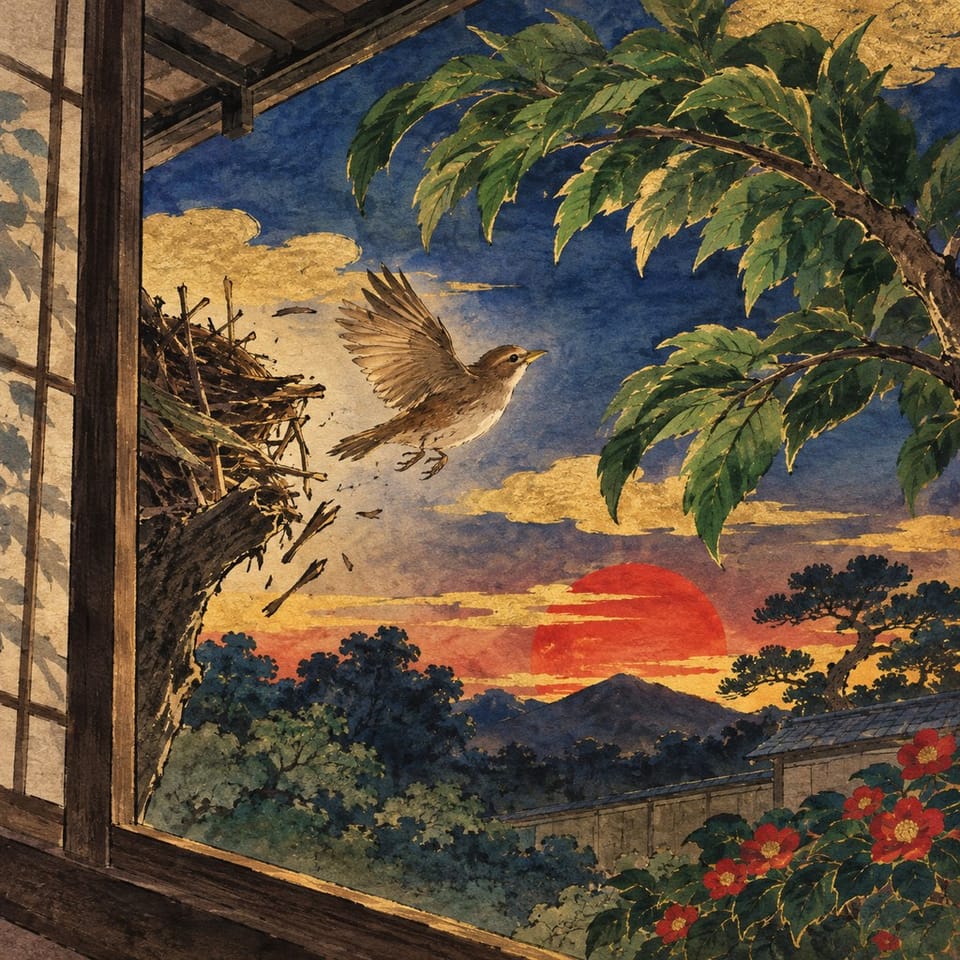
Pip reaches the shelter the student chose and described.
Nest Quest: A Young Bird's Journey
How Small Birds Stay Safe in a Storm
Language ArtsProgramación
Students craft a short scene that shows Pip leaving a damaged nest and choosing a nearby safe place, writing sensory details and two spoken movement cues that steer Pip to safety.
Pacing
2–3 days · 3 × 45 min
Grado
Grado 3
Coding
Principiante
Students codeCollision (when sprites touch)Speech bubbleWhen page startsRun at the same time
Se abre un proyecto de práctica privado en el Studio, sin necesidad de una cuenta.
How do small birds find shelter and stay safe in a storm?
Students will be able to
Explain how thick vegetation, sheltered perches, and tree holes protect small birds from stormy weather.
Develop a story setting, a fledgling's goal, and an obstacle that creates tension.
Describe how a chosen nesting place shelters Pip and add a detail that conveys comfort.
Configure spoken “up” and “right” commands to move Pip toward a destination and continue the story when he reaches it.
Key vocabulary
fledglingsettingshelter
The student journey
This is a build — not a worksheet packet
Every lesson runs like the story students are about to make: read it, write it, build it, polish it, publish it. The printables scaffold each stage — the published Elementari project is the destination.
Lesson Flow · Pacing: 2–3 days · 3 × 45 min Design & code: ~60 min
1
📖
Read
Students read a short, high-interest passage — a real-world hook, not a dry textbook definition — to spark ideas for what they'll make.
📖How Small Birds Stay Safe in a Storm
When dark clouds roll in and the wind starts to blow, small birds stop flying around. Stormy air makes flying hard work, so they find a safe place and wait. Many small birds hide inside a thick hedge or a bushy evergreen tree. Thick leaves …
In the studio, students bring the project to life — adding art and following the exact writing and coding steps shown below. The Studio Compass walks them through it, one step at a time.
🧭Brújula del StudioInstrucción 1 / 9
TITLE PAGE
Write a title for the cover; readers see it appear as the opening music sets the scene.
Palabras clave — presiona para aprender másOn Pronounce
Cada instrucción se valida y abre automáticamente la siguiente
Las 9 instrucciones del Studio, adaptadas al proyecto
1TITLE PAGEabout 0 min
2Garden pathabout 5 min
3Pip and a safe placeabout 5 min
4Storm obstacleabout 5 min
5Movement wordsabout 10 min
6Animate Pip when 'up' spokenabout 10 min
7Animate Pip when 'right' spokenabout 10 min
8Advance to landing on collisionabout 10 min
9Safe landingabout 5 min
4
🔁
Polish
durante todo el proyecto
Teacher and peer feedback pin right onto the project — students revise until it's ready to share.
Feedback on the project2 anotaciones
🍎
Agrega una oración más aquí para que los lectores comprendan toda la situación.
👍 2Docente
A
La interacción es clara y ayuda al lector a seguir el proyecto.
⭐ 3Compañero
Respuestas con un toque¡Buen trabajo!Agregar un detalle
Los materiales imprimibles que impulsan el proyecto
Cada página guía a los estudiantes hacia la publicación en Elementari. La creación es la lección; estos materiales imprimibles les ayudan a llegar hasta allí.
A couple of things to gather, a few quick steps to prep — then you're ready to hand it to students.
What you need
A device per student or pair
Internet connection
Provided background reading
Student Organizer
Microphone
Speakers or headphones
Un dispositivo por estudiante o pareja
Conexión a Internet
Un micrófono para grabaciones o actividades activadas por la voz
Audífonos o altavoces
Preparación antes de la clase
1Print the student organizers
2Assign this lesson to your students
3Skim the build steps
Teacher background
What you need to know
Small birds stop flying and hide where thick leaves, branches, or a tree hole block the wind and rain. Oily feathers shed the rain, soft down keeps them warm, and their toes lock tight around a branch. In the story, Pip, a fledgling, uses one of these shelters to reach safety before nightfall.
Key terms
fledgling
A young bird that has just left the nest and is still learning to fly.
setting
Where and when a story happens.
shelter
A safe place that protects someone from danger or bad weather.
Watch for these misconceptions
✕
Vague setting detail →Ask the student to point to one visible object (fence post, branch, hollow) and add one describing word.
✕
Movement words unclear or reversed →Have the student say each movement word aloud and demonstrate which direction it should move Pip before testing.
✕
Interaction does not trigger on the spoken word →Play and test the page: say the exact word(s) the student wrote; if it fails, check spelling and that the spoken trigger is linked to the character image.
Standards alignment
Aligned to the standards you teach
Every task maps to a specific standard, so planning and reporting are covered.
Seguimiento de 7 marcos curriculares: Common Core ELA, Common Core Math, NGSS +4
CCSS · ELA51 marco curricular · 5 estándares · DOK 1–2
CCSS · ELA
Common Core State Standards — Lengua y Literatura en inglés (ELA)
5 estándares
W.3.4
With guidance and support from adults, produce writing in which the development and organization are appropriate to task and purpose.
También se abordanL.3.1 · W.3.3 · RI.3.1 · L.3.3
La clave de respuestas incluye la correspondencia completa, tarea por tarea, con el nivel de profundidad de conocimiento.
Differentiation & accessibility
Built to reach every learner
One lesson, three built-in paths — with accessibility baked into the materials, not bolted on afterward.
Extra support
Emerging readers & writers
Lectura en voz alta y apoyo multilingüe en el proyecto de Elementari
La Brújula del Studio muestra una instrucción a la vez, incluida la programación
Marcos de oración y banco de palabras para no empezar nunca desde una página en blanco
On grade
The core lesson
El texto y el storyboard tal como están escritos
Respuestas modelo e indicadores en la clave de respuestas
Indicadores de autoevaluación en cada etapa
Ready for more
Extension & challenge
Vocabulario de ampliación y una pregunta de conexión con el mundo real
Profundizar en una página o interacción existente, sin cambiar los mecanismos obligatorios
Una consigna de reflexión más extensa y basada en evidencias
Accessibility, built inEstructura paso a paso clara y predecibleUna tarea a la vez · Brújula del StudioÁreas de respuesta destacadasMaterial impreso con pocos estímulosRitmo que permite hacer pausas de movimientoDesigned so every student can design, write, and code — with ADHD, autism, and dyslexia in mind.
Preguntas
Preguntas frecuentes para docentes
¿Mis estudiantes o yo necesitamos saber programar?
No. Los conceptos de programación se presentan con lenguaje claro justo cuando los estudiantes los necesitan, y la Brújula del Studio confirma cada etapa para que sigan avanzando sin que usted tenga que resolver problemas técnicos. La guía docente explica toda la creación e incluye las respuestas.
¿Cuánto dura esta lección?
Aproximadamente 2-3 days, distribuida en sesiones de clase de 45 minutos. Puede ampliarla o condensarla: los estudiantes retoman el trabajo donde lo dejaron, así que no tienen que terminarlo todo de una vez.
¿En qué dispositivos funciona esta lección?
Los estudiantes pueden leer, escribir, programar y publicar desde Chromebooks, iPads, tabletas, computadoras portátiles o computadoras de escritorio. Solo necesitan un navegador reciente; no hay nada que descargar ni instalar.
¿Qué es la Brújula del Studio?
La Brújula del Studio es la guía paso a paso integrada en el Studio. Muestra a los estudiantes qué deben hacer a continuación, identifica los bloques de programación exactos que necesitan y confirma las etapas terminadas para que puedan avanzar de forma autónoma.
¿Cómo apoya esta lección a distintos perfiles de estudiantes?
Esta lección incluye lectura en voz alta con resaltado sincronizado, un glosario integrado y un storyboard visual, además de apoyos de escritura y programación que puede reforzar o reducir. Los estudiantes pueden trabajar con apoyo guiado o con mayor autonomía y completar el mismo proyecto.
Cuando usted quiera
Lleve esta lección a su clase
Importe su clase, asigne la lección con un clic y deje que los estudiantes creen. El kit completo está incluido.
Prueba gratuita · No se requieren correos electrónicos de estudiantes